
GOOGLE RANKER PRO / INSIGHTS
Google Business Profile Optimisation for Manchester Businesses: A 2026 Guide
Google Business Profile optimisation for Manchester businesses: service areas, categories, reviews and tracking explained for UK owners in 2026.

To improve a Manchester Google Business Profile, first check that the business is eligible, then make its category, hours, phone number, website link and service area accurate. After that, invite genuine customer reviews without filtering for praise, and compare profile actions with actual enquiries over time.
A customer may decide whether to call from the listing alone. A number that rings out, outdated hours or an unrealistic service area can make that decision harder. Treat optimisation as an accuracy and evidence task: what you do, where you travel, when you answer, and what customers say after using the business should all be verifiable.
Why Google Business Profile Shapes Manchester Enquiries
Local searches can lead to a call before a website visit. For example, a Salford plumber might need callers within a practical travel radius, while a Chorlton letting agent might want customers to find accurate office hours and contact details. Both need a listing that describes the real business rather than a wider area it cannot serve.
For a heating engineer, dentist or letting agent in a named district, the category, hours, phone number and photographs help customers decide what to do next. Start with accurate fields, honest service-area settings and a way to compare profile actions with actual enquiries.
A wrong phone number or outdated hours can cost an enquiry, and posting does not correct those details. The Habbibi Manchester case study illustrates a Manchester hospitality brief in which profile work sat alongside social media. No profile edit guarantees a ranking; the useful standard is whether customers can verify what the listing says.
Profile Fields to Check Before Anything Else
A profile is only eligible when the business makes in-person contact with customers during its stated hours. That covers a shop, clinic or office people visit, and a tradesperson who travels to them. It doesn't cover an online-only business, a lead-generation company, a rental property or a firm working from a PO box, as Google's eligibility rules for Business Profile set out.
Why eligibility comes before optimisation
Editing an ineligible profile can put verification at risk. For example, a Manchester landing page backed only by a rented mailing address does not establish an eligible local operation. Under Google's business-representation guidelines, renting a physical mailing address or virtual office without actually operating there does not qualify. A coworking-space office needs clear signage, customer reception at that location and staffing by the business's own employees during business hours. Staffing alone does not make every virtual office eligible. Check the business model and actual customer contact before editing the profile.
The field audit, top to bottom
Work down the rows in order. Each one is a check rather than a suggestion, and the final column is what to do when a row fails.
| Field | What to enter | Common mistake | How to check |
|---|---|---|---|
| Primary category | The most specific category that accurately describes the main business | Choosing a broad label when a more accurate category exists | Check Google's available categories and compare relevant local listings without copying categories that misdescribe your business |
| Secondary categories | Only services you genuinely deliver | Adding unrelated categories to widen reach | Ask whether you could deliver each service this month |
| Services list | One line per service, written in customer language | Keyword lists that read like spam | Read the list aloud; each line should describe a real job |
| Service area | Towns and districts you actually travel to (see the service-area section below) | Listing every town in the region | Check drive time from your genuine base |
| Opening hours | Regular hours plus bank holiday and seasonal changes | Out-of-date seasonal hours | Compare with the website and any signage |
| Phone number | The number customers call, matching the website | Different numbers across the profile and site | Call the number from a mobile and confirm it reaches you |
| Website link | The relevant service or location page | Linking only to the homepage | Click through and confirm the enquiry form works |
| Photos | Real work, premises and team | Stock images or logos only | Check that each image shows genuine activity |
| Business description | A plain summary of what you do and for whom | Repeating keywords in every sentence | Confirm it still reads naturally to a customer |
Practical rule: if the number on the profile isn't the one that rings in the office, the profile is telling customers something untrue, and it will keep doing so long after you've forgotten the edit.
The audit is also a consistency test. Check that the business name, phone number and hours agree across the profile, website and important directories. Differences can confuse customers, particularly someone checking whether your door is open at 8am.
How Google Matches Manchester Profiles to Searches
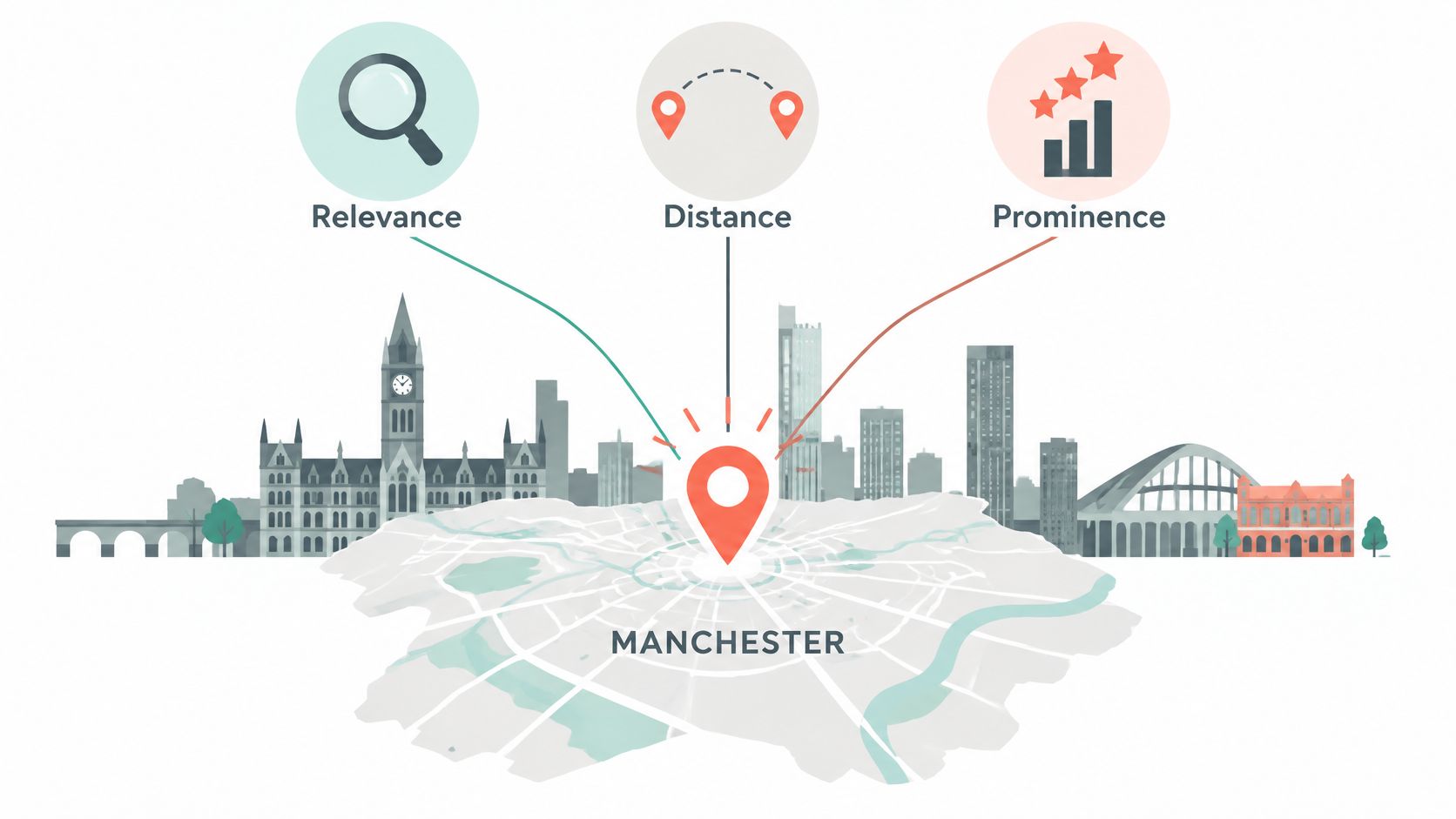
The three factors Google publishes for local results are relevance, distance and prominence, and its guidance on how local ranking works describes each one plainly. Relevance is how closely the profile matches what was searched. Distance is measured from the searcher, or from the area named in the query. Prominence covers signals such as reviews and links from other websites.
A well-kept profile works like a catalogue card in a good library: it tells the searcher exactly what the book is and where to find it. The query is the question, the card is the profile, distance is how far the reader stands from the shelf, and prominence is how often trusted readers have recommended the book.
 Edit Alt Text
You control the card. You don't control where the reader stands.
Consider three hypothetical examples. A plumber serving Salford should choose the available primary category that accurately describes the core business, then list genuine boiler-repair services if offered; a category is not a promise of a particular ranking. A solicitor in central Manchester cannot move closer to a distant searcher by adding town names to a description. A Didsbury retailer can invite genuine purchasers to review their experience, whether positive or negative.
Google's guidance also confirms that review count and score can influence local ranking, which is why the profile rewards steady upkeep rather than a one-off setup. For how the profile fits into a wider programme, see the local search guide.
Setting Service Areas Without Misleading Location Signals
Take a hypothetical drainage engineer covering Trafford from a Stockport base and a hypothetical café in Sale that customers visit. Google's guidance on service areas and distance explains service-area settings; a business that travels to customers can hide its address when customers do not visit that base. Under Google's business-representation guidelines, a rented mailing address or virtual office without an operating eligible business is not eligible. For an office in a coworking space, clear signage, customer reception and staffing by the business's own employees during business hours are required. Choose a service area based on where you can actually take work, not an arbitrary driving-time rule.
Match the setting to the business model
In these hypothetical examples, the engineer lists Sale, Altrincham and central Manchester only if those are places the business genuinely serves, and hides a base address that customers do not visit. Extra profiles for Bury or Leeds would require real eligible operations at those locations. The café shows the address customers visit and needs no service area unless it also travels to customers. A second Leeds office may qualify for its own profile if it independently meets Google's eligibility and representation requirements.
| Business model | Address shown on profile | Service area setting | Website signal |
|---|---|---|---|
| Shop, clinic or office customers visit | Show the eligible customer-facing address | Only if the business also travels to customers | A location page for the address customers visit |
| Tradesperson travelling from a genuine base | Hide the address if customers do not visit | Districts the business genuinely serves | Area content only where real work is done |
| Mailing address or virtual office without an operating eligible business | Not eligible | Not applicable | Do not present the address as a customer-facing location |
| Coworking office | Only if it meets Google's signage, customer-reception and own-staff requirements | If the business also travels to customers | Describe only the eligible operation |
| Second eligible office in another city | Separate profile may be appropriate | Its own genuine coverage | A page describing that office accurately |
The trade-off: a wide service area looks like more opportunity on paper and behaves like less in practice, because enquiries arrive from places you cannot reach at the price you quoted.
Private hire and delivery businesses feel this most sharply, since the whole proposition is a journey. The Leam Taxis Local SEO project is an example of organising local-search work around the journeys customers book rather than a long town list.
The evidence test closes the loop. List only areas where jobs have been done, or where you can take the work when the phone rings. Narrow coverage produces better enquiries than naming an entire region. The caller from forty minutes away who is told the next slot is Thursday week does not become a repeat customer.
Mapping a Manchester Query to One Profile Action
Pick a priority query and follow it through the profile to a single action. The aim is to make one service easy to find and easy to act on.
Choose a query a customer would type. "Emergency dentist Didsbury" is a real search. "Affordable dental solutions" is a category description.
Map it to one service. Add an Emergency dentist service using the customer's words, not an internal job code.
Point it at the right page. The website link should reach the emergency dental page rather than the homepage.
Attach one action. Make the call button primary and track one conversion, such as a submitted appointment form.
In this hypothetical Didsbury dental-practice example, the team checks whether its real services and website page match the query, then tracks calls and submitted appointment forms. Compare profile actions with logged enquiries across several months. If views rise without a similar change in enquiries, check call handling and the page journey; the figures suggest where to investigate but do not prove why a change occurred.
Repeat the mapping for genuine high-value services rather than creating a version for every town. A Maps search from outside your normal coverage may show how results differ by location, but a single check is not a ranking test. Adding town names to a description does not change the business's physical location.
Google's policy on reviews for Business Profile
Building Reviews and Updates Within Google's Rules
Reviews should reflect genuine experiences. Google's review and user-contributed content policy prohibits incentives, pressure and selectively asking only customers likely to leave positive feedback. Invite genuine customers consistently, regardless of whether their experience was good or bad, without requesting a particular rating or wording.
A monthly review routine that survives scrutiny
Invite genuine customers consistently. Set a neutral point in the customer journey for sending invitations, regardless of satisfaction, complaint status or expected rating. Do not make payment, a resolved complaint or positive feedback a condition of receiving an invitation.
Send an optional, neutral review link. For example: "If you'd like to share your experience, here's our Google review link." Let the customer choose whether and what to write; do not ask for five stars or a specific comment.
Offer nothing in exchange. Do not attach a discount or other benefit to posting, changing or removing a review.
Respond professionally to positive and negative reviews. Thank reviewers where appropriate and address concerns without disclosing private details or pressuring someone to edit their review.
Add genuine photographs when useful. Show real work, premises or team members where you have permission; do not imply stock imagery depicts completed jobs.
Post when there is something useful to say. Updated hours or a real service change helps more than repeating a keyword-heavy description.
Review rule: invite customers consistently, not just those likely to praise you. Follow Google's review policy and avoid incentives, pressure or selective solicitation.
Accurate hours, services and contact details deserve attention before a posting schedule. Track review invitations fairly without treating review volume as a guaranteed ranking outcome.
Tracking Calls, Directions and Website Actions
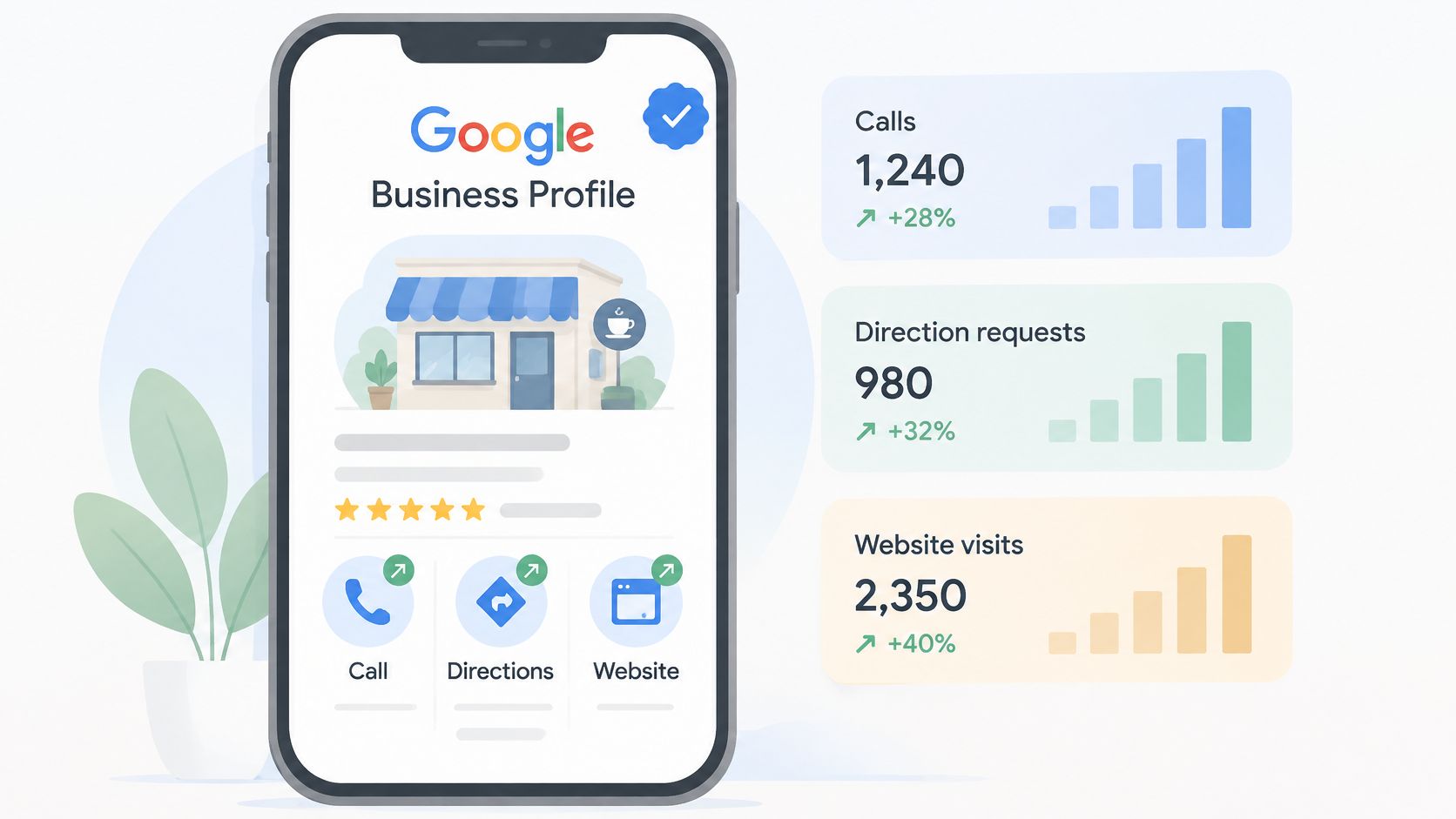
Performance data appears only for verified profiles, and Google's guide to Business Profile performance describes what it reports: how customers discover the listing and what they do next, drawing on both organic Google results and Google Ads. Only metrics that apply to the business appear, so a shop and a visiting tradesperson see different dashboards.
Read together, those numbers show intent, not just visibility.
 Edit Alt Text
Confirm verification. Without it, no performance data appears at all.
Set the same date range each month. Comparison only works when the window matches. The simplest rule is the first to the last day of the previous month.
Record calls, direction requests and website clicks in one sheet, one row per month.
Match those figures to enquiries logged in your inbox or CRM. A call that ends after a few seconds isn't a lead.
Note which services or locations drive the actions. That's where profile edits get their evidence.
Investigate a weak metric. Note any change you make, then compare several periods and logged enquiries. A single month can suggest a pattern but cannot establish that your edit caused it.
| Metric | What it tells you | Action if weak |
|---|---|---|
| Search views | How often people find you through Google Search | Review categories, services and the service-area setup |
| Maps views | How often Google Maps shows your profile to people nearby | Check hours, photos, reviews and the primary category |
| Calls | How many people tapped to phone you from the profile | Check the number, opening hours and how quickly calls are answered |
| Direction requests | How many people asked for directions to your premises | Check the address, signage and parking information; not applicable to a hidden-address business |
| Website clicks | How many visitors moved from the profile to your site | Check that the link goes to the relevant service page and the form works |
A call tap is not necessarily a booking. Compare profile calls with answered calls and logged enquiries before deciding what needs attention. Whether further work belongs in organic search or paid search is a separate question; SEO or Google Ads outlines that choice.
If views rise while enquiries stay flat, check call handling, hours and the page journey. Those figures identify possible problems, not a proven cause. Adding services will not resolve an unanswered phone.
Decide Whether Your Profile Needs an Audit
For example, a hypothetical Stockport trades firm might have a verified profile and accurate hours but send website visitors to a homepage that does not explain the service they searched for. An audit can check whether that page gives customers a clear next step.
Check three things in order. First, confirm the business is eligible and the profile reflects its real customer-facing operation. Second, check important details against the website and other listings. Third, compare profile views and actions with actual enquiries over several months; directions are relevant only where customers visit the premises.
Resolve eligibility problems before optimising fields. Correct inaccurate contact or service details before assuming demand is weak. If those checks hold, investigate the service information, website journey and call handling without treating a short-term change as proof of cause.
A monthly local SEO service can include these checks, but an audit should produce verifiable findings rather than promise a ranking.
If your Manchester profile looks complete but enquiries are unclear, request a free audit from Google Ranker Pro to identify details worth checking.